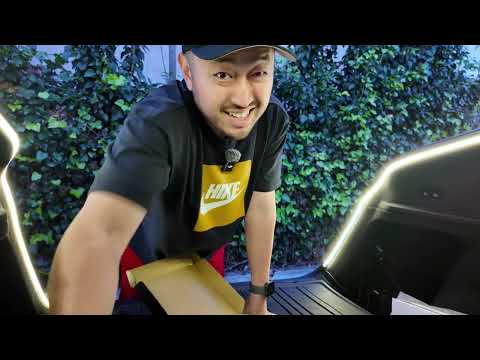
Joaha's 3-in-1 Trunk LED & USB-C Charger: The Ultimate Upgrade for Your Tesla Model Y
Hey everyone, DennisCW here! If you're like me and own a Tesla Model Y Performance, you know the struggle: not enough USB-C ports. Joaha just dropped this game-changing 3-in-1 Trunk LED Lighting Car Charger that not only lights up your trunk like never before but also adds two extra USB-C ports via the cigarette lighter. It's functional, smart, and takes trunk mods to the next level. I unboxed it, installed it, and tested it—let's dive in!
Unboxing the Joaha Trunk LED Kit
The packaging is sleek and premium, screaming quality. Inside, you'll find:
- The LED light strip for even trunk illumination
- A controller with brightness adjustment
- Cigarette lighter adapter with two USB-C ports
- Velcro straps and adhesive for tidy cable management
- A magnetic sensor for auto on/off
Unlike cheaper alternatives that stay on while driving (annoying!), this one powers through the rear cigarette lighter and turns off automatically when the trunk closes. Plus, it emits a warm, inviting light—way better than harsh cool tones.

Key Features That Make It Stand Out
- Warm LED Lighting: Adjustable brightness via the controller—perfect for loading gear at night.
- Auto On/Off: Magnetic plate on the trunk latch detects closure and shuts off the light.
- Extra USB-C Ports: Two fast-charging ports powered by the cigarette lighter.
- Easy Install: No drilling, plug-and-play with Velcro and cable routing.
- Compatible with Model Y: Works seamlessly, even with trunk mats or sunshades.
I've tried similar kits, but Joaha nailed the details—like the Velcro-backed controller for custom placement.
Step-by-Step Installation Guide
This was a breeze—even for DIY newbies. Here's how I did it on my Model Y Performance:
- Prep the Power: Plug the USB-C cable into the controller, then into the rear cigarette lighter.
- Mount the Controller: Stick it via Velcro wherever convenient (I placed mine near the trunk edge).
- Install the Magnetic Sensor:
- Attach the sensor to its holder.
- Adjust trunk bump stops counterclockwise to reduce travel.
- Secure it on the latch area—test closure to ensure it detects properly.
- Route the Cables: Lift the rubber grommet at the trunk hinge, slide wires through, and tuck under the trunk mat.
- Mount the LED Strip: Run it along the trunk edge for full coverage.
- Test It: Open trunk—light on! Close—light off. Adjust brightness as needed.
Pro Tip: If you have a trunk mat or sunshade, lift it slightly for clean routing. The whole process took under 15 minutes.

Real-World Testing & Impressions
It's super bright yet dimmable, flooding the trunk with warm light—ideal for camping trips or grocery hauls. The auto-off feature is genius; no draining battery while driving. With the added USB-C ports, charging devices in the back is effortless.
One minor hiccup: Fine-tuning the bump stops for sensor placement, but it's a one-time fix.
Final Thoughts & Where to Get It
This is a must-have mod for any Model Y owner. Joaha thought of everything—functionality, convenience, and smarts. Head to Joaha's site and use promo code Dennis to save!
If you install it, drop a comment below or tag me on socials. What's your next Tesla upgrade?
Thanks for reading—subscribe to my YouTube for more Tesla reviews!
-DennisCW