The Tesla app iPhone Duo update finally brings true wider screen support to iPads and the new iPhone Duo, ditching the cramped iPhone-style layout for a proper tablet design.
What Changed in the Tesla iOS App Update
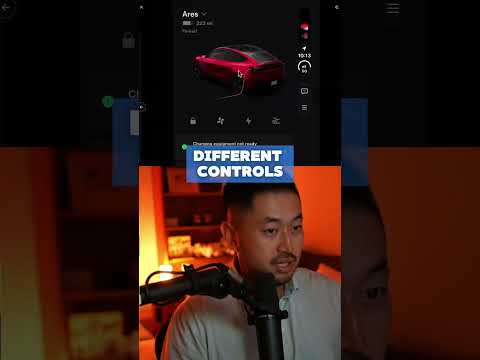
Tesla rolled out a fresh Tesla iPad app update that takes advantage of the extra horizontal space. Instead of the usual scaled-up phone interface, you now get side-by-side menus, larger vehicle graphics, and more visible controls at once. The same improvements appear on iPhone Duo devices, with menu bars positioned on both sides of the screen.
Why This Matters for Tesla Owners
Owners who monitor charging, precondition the cabin, or check sentry footage on a tablet finally have a layout built for bigger displays. You see more details without constant scrolling, and the car model renders larger and clearer. It feels like a native app rather than an afterthought.
I already tested the Tesla app wider screen view on an iPad and the difference is immediate. The controls sit exactly where your thumbs expect them, and the overall interface feels less cramped during quick checks.
How to Get the Update
Just head to the App Store and install the latest version of the Tesla app. The wider screen layout activates automatically on compatible devices. No extra settings required.
For a full walkthrough and side-by-side comparisons, check out the companion post here: https://denniscw.com/blog/tesla-app-iphone-duo-update.
Bottom Line
The Tesla app iPhone Duo update is a small but welcome quality-of-life improvement for anyone who prefers using an iPad or iPhone Duo to manage their Tesla. It shows Tesla is finally paying attention to tablet users instead of forcing the phone experience onto larger screens. If you have an iPad handy, download the update and see the difference for yourself.
Some links are affiliate links that support the channel at no cost to you.