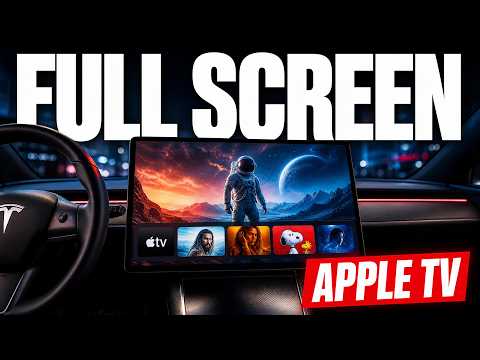
Tesla Apple TV full screen mode just landed, letting owners open a true Apple TV app right from the Tesla browser Apple TV.
Jason first spotted the update, and it turns the browser into an actual native-feeling app instead of a basic website. Full screen Tesla apps now cover HBO, Peacock, and several others, giving the big screen far more utility than before.
How the new Tesla Apple TV app works
Open the Tesla browser, head to Apple TV, and the interface loads the full app experience with proper controls and playback. No more cramped web player. The feature feels like an early sign that Tesla is quietly expanding its entertainment ecosystem behind the scenes.
I still expect the usual safety lockout while the car is in drive, but the upgrade shows real progress on Tesla entertainment features. Once unsupervised full self-driving arrives, these apps will matter even more.
What this means for daily driving
The bigger screen suddenly becomes a proper media hub on road trips or while parked. Full screen Tesla apps remove the previous limitations that made streaming feel half-baked. It also pairs nicely with accessories that keep the cabin comfortable during longer stops.
For Model Y owners who want easy phone access while the car handles navigation, the Tesla Model Y door phone mount keeps everything within reach without blocking the main display.
Looking ahead
This update hints at more apps coming the same way. Bettertheater.com already offers extra screen tools, and the pattern suggests Tesla will keep adding depth to the infotainment system. The day you can sit back on full self-driving and enjoy proper streaming on the center screen feels closer.
If you're shopping for a Tesla or already own one, solid accessories make the experience better. Jowua Tesla accessories — phone mounts, center consoles, and more remain my go-to source for items that actually fit and hold up.
Watch the full video here: https://youtube.com/watch?v=m9kWI2jsQpk
Some links are affiliate links that support the channel at no cost to you.