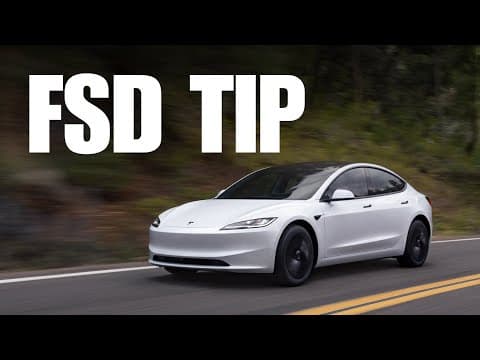
Tesla FSD Pro Tip: Nail Perfect Driveway Parking with Google Plus Codes
Hey everyone, DennisCW here! If you're a Tesla owner using Full Self-Driving (FSD) to park in your driveway or a super-specific spot, I've got a game-changing pro tip you've probably never heard before. This one's a total eye-opener, and it's all thanks to a shoutout to Christopher in the comments who shared this gem.
The Problem We've All Faced
We've all been there: FSD is awesome, but sometimes it struggles to hit that exact parking spot. Maybe it's blocking your neighbor's driveway or sitting awkwardly in front of your garage. Frustrating, right? No more!
The Solution: Google Plus Codes
Enter Google Plus Codes (also known as Plus Codes). These are free, ultra-precise location codes from Google Maps that you can plug straight into your Tesla's navigation. Christopher shared how he meticulously moved his 'Black Pearl' (love that name!) a few feet at a time to pinpoint the perfect code for his reverse parking spot. Now? Perfect reverse parks every single time.
How to Do It Step-by-Step:
- Open Google Maps on your phone or computer.
- Zoom in super close to your desired parking spot (like that sweet spot in your driveway).
- Tap the location to get the Plus Code – it looks something like
8FWC+XX City, State. - Copy that exact code.
- In your Tesla's UI, enter the Plus Code into the navigation search bar.
- Let FSD take over – boom, precision parking!
I've gotta try this myself because I had no idea you could do this. It's wild how Tesla's system handles these codes for pinpoint accuracy.
Have You Tried It?
Has anyone else trained their FSD with Plus Codes? Drop a comment below – is it just Christopher and soon me, or is this a hidden trick tons of you are using? Let me know your results!
Level Up Your FSD Experience with Joa Accessories
While you're fine-tuning FSD, grab some killer accessories from Joa to make your drives even better. My faves?
- Center Consoles: Sleek organization.
- Phone Mount: Essential for monitoring FSD (or just staying connected).
Use promo code Dennis for free shipping and free returns. Links in the description of my video – check it out!
Thanks for reading! Hit that subscribe on YouTube for more Tesla tips, and I'll see you in the next one. 🚀
DennisCW