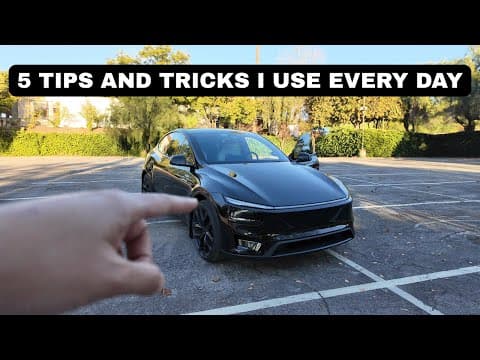
Top 5 Daily Tesla Model Y Tips Every New Owner Should Know
Hey everyone, DennisCW here! If you've just picked up your shiny new Tesla Model Y, congratulations! There's a world of clever tricks and features waiting to be discovered in that massive navigation screen. In this post (based on my latest video), I'm sharing my top 5 go-to tips that I use every single day. These aren't just gimmicks—they're practical hacks that make owning a Tesla even more awesome. Let's dive in!
1. Smart Navigation Prediction: Swipe to Your Destination
Once you've set up your home and work addresses, Tesla's nav gets psychic. Simply swipe right on the map screen, and it predicts where you're headed—home or work—and starts navigating automatically. No typing required!
Tesla's been iterating on this too, adding quick buttons for home/work. It's a game-changer for my daily commute.
2. Share Locations from Apple Maps or Google Maps
Planning dinner? Found a spot in Apple Maps or Google Maps? Hit share > Tesla app, and boom—it's instantly loaded into your Model Y's navigation. Routes calculate on the spot.
I use this constantly to skip manual entry and get going faster.
3. Glovebox PIN for Extra Security (Plus a Pro Tip)
Set up a Glovebox PIN to lock away valuables—no one gets in without the code. (I keep PIN to Drive off, but this one's essential.)
Quick tip: The numpad layout changes direction each time you enter the code, smudging fingerprints and thwarting shoulder-surfers. Genius!
4. Unlock a Fifth App Icon on Your Home Screen
Stuck with only four icons? Here's the hack:
- Long-press an icon to float it.
- Use your other finger to drag it off-screen to the right.
- Drop it into the fifth slot.
It might take a few tries (ditch the screen protector if needed), but once set, it's permanent. More apps at your fingertips!
5. Grok AI: Your In-Car Genius
Hold the mic button to activate Grok (Tesla's AI). It's not just for chit-chat:
- "Hey Grok, add the closest Supercharger and nearest Bank of America to my route."
Watch it plot multi-waypoint trips instantly. I've used it for language lessons, finance Q&A, and more. Sky's the limit!
Bonus Tips I Can't Live Without
- YouTube on the Big Screen: Log into YouTube, share a video from your phone > Tesla—plays full-screen while Supercharging.
- Multiple Key Cards: Program one card for 10+ vehicles. Keep extras at home for family/valet and one in the car always.
These tips have transformed my Model Y routine. What about you? Drop your favorite Tesla hacks in the comments—I read them all! If you're loving these, subscribe to my YouTube channel for more.
Drive safe, DennisCW 🚀