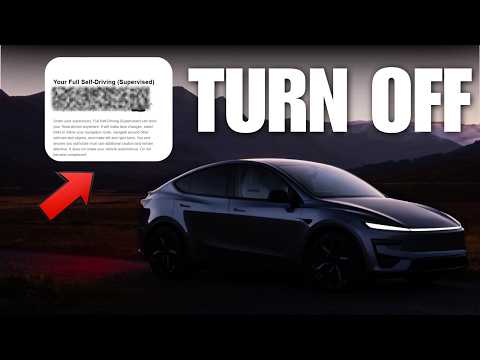
That annoying Tesla Full Self-Driving popup asking why you intervened keeps popping up every time you disengage, and it's frustrating for thousands of owners.
The good news is there's a quick workaround to make it vanish without choosing one of those four limited options.
Why the Tesla FSD Why Did You Intervene Popup Appears
This notification triggers whenever you take over from Full Self-Driving. Whether it's for safety, a sudden obstacle, or just preference, the system wants feedback. But the limited choices often lead to poor data, and the constant interruption ruins the experience.
Many drivers want a simple way to turn off FSD intervene notification entirely, yet Tesla hasn't added an X button yet.
Step-by-Step Tesla Full Self-Driving Popup Fix
Here's the exact method that works right now to disable FSD notification Tesla style:
- Wait for the popup to appear after disengaging FSD.
- Double-click the steering wheel microphone button to open the voice memo screen.
- Wait three to four seconds without recording anything.
- Click the mic button once more to cancel the voice memo.
This FSD voice memo cancel notification trick clears the screen without submitting feedback. It takes about 15 seconds total if you let it timeout instead.
The process feels clunky, but it reliably removes the prompt so you can focus on driving.
Better Data Collection Tesla Should Add
Instead of forcing drivers into vague categories or relying on voice memos, Tesla could simply add a close button. That would improve data quality dramatically while respecting owner time.
Right now the workaround using the mic button is the best option available for most people.
Pro Tips for Smoother FSD Use
- Practice the double-click cancel sequence a few times in a safe spot so it becomes muscle memory.
- If you're testing new versions, check out the latest updates discussed in this post on FSD 14.3.4 hidden features.
- For longer highway runs where interventions happen less, read how Tesla FSD level 4 autonomy reaches most situations.
Watch the full video here: https://youtube.com/watch?v=oMkMgs1N800
Upgrade Your Tesla Interior While You're At It
Another easy way to improve daily driving comfort is adding quality all-weather protection. Our favorite is from 3W All Weather Life especially when you use promo code DENNIS35 you're getting a massive 35% off. Perfect fitment, lifetime warranty so definitely check out 3W all-weather floor mats — 35% off with code DENNIS35.
Bottom Line
The current method to turn off FSD intervene notification isn't perfect, but the mic button cancel sequence works immediately. Tesla should add a proper close option, yet until then this trick keeps the screen clean. Try it on your next drive and see how much smoother things feel.
Some links are affiliate links that support the channel at no cost to you.